Lovense for Camgirls: Which Toy to Pick and How It Works
Lovense for camgirls: vibrating egg or machine, which toy to pick, how it reacts to tips, the setup and the right settings.
Written with Lena, a live camgirl
Updated 8 min read
On live sites, you’ll quickly come across camgirls using a Lovense toy: when a viewer sends tokens, the toy reacts live. Here’s how it works, which toy to pick, what you need to set it up and the settings worth getting right, based on Lovense’s official pages and Stripchat’s help centre, consulted in October 2026.
How does a Lovense toy work during a live show?
A Lovense toy is a connected toy: it links over Bluetooth to one of the brand’s apps, on your phone or your computer. During your show, a piece of Lovense software reads the tips coming into your room and makes the toy react. It doesn’t react to sound, only to the tokens you receive.
You’re the one who sets the rules, using levels. For each one, you choose:
- a token range, for example from 10 to 49;
- a reaction length, in seconds;
- an intensity, from low to very high.
A tip that falls into a level triggers the reaction you set; if it doesn’t match any level, nothing happens.
Depending on your platform, the Lovense extension also offers the “Give Control” option: you set a price and a length of time, and the viewer who pays gets an on-screen control to drive the toy for that period.
Why camgirls use Lovense
- The interaction. For a cam girl, that’s the main appeal: the viewer immediately sees the effect of their tip, even a small one, which makes people want to join in.
- It rounds out your tip menu. Your levels are displayed to viewers, and since every tip in the public chat counts towards your goal, the ones that make the toy react move it forward too.
- Platforms promote it. Stripchat supports Lovense and Kiiroo toys, and its help centre presents interactive toys as one of the site’s most popular categories.
It’s not a requirement, though: a toy costs money, needs setting up, and replaces neither consistency nor fair prices. Your webcam, your lighting and your microphone come first (see Camgirl Equipment): you can start without a toy and kit yourself out later. Lovense presents its toys and its live-show tools on its page for camgirls.
Which Lovense toy should you pick for live shows?
All of Lovense’s connected toys work with its live tools: the choice mainly depends on your show and your budget. The prices below are the list prices shown by Lovense in October 2026, in dollars and excluding promotions.
Toys you wear during the show
They’re worn throughout the show and react to every tip, according to your levels:
- the Lush 4 vibrating egg, at $129;
- the Lush Mini, at the same price, in a smaller version;
- the Vulse, at $119, an egg that adds a thrusting motion to the vibrations;
- the Hush 2, at $119, a connected plug.
Toys that stay on the outside
- The Ferri, at $119, attaches to your underwear with a magnet. On Lovense’s page for camgirls, one model explains that she prefers it for her long sessions: according to her, toys worn internally can become uncomfortable beyond 4 hours, whereas the Ferri lets her stream all night.
- The Domi 2, at $119, is a small vibrating wand, which also reacts to tips.
The machines
A machine responds to tips with an automatic thrusting motion rather than with vibrations. Lovense sells two:
- the Mini Sex Machine, at $399, which the brand recommends as the affordable option for starting out in live shows: compact, it can be lifted with one hand and doesn’t go above 60 dB;
- the Sex Machine, at $699, which it recommends for the more experienced.
Lovense presents them as a way to get a bigger reaction from your audience live and offers, for the Mini, an extension kit that lets you keep the device out of frame. It’s a real investment: as with the rest of your equipment, wait until your live shows are running steadily before treating yourself to one.
Before you buy
- One toy is enough to start with. You’ll add others if your audience asks for more.
- On a Windows PC, plan for the Lovense USB Bluetooth adapter. On its page for camgirls, the brand offers it at a reduced price with the purchase of a toy ($10 instead of $12 in October 2026).
- Your audience can gift it to you. Lovense offers a wishlist so your viewers can buy you a toy.
- Lovense also sells its own webcam, the Lovense Webcam 2, and bundles pairing it with a toy: we cover that in Camgirl Equipment.
What you need to set it up
- Link the toy to the Lovense Connect app. Pairing happens in the app, not in your Bluetooth settings. Depending on your device:
- a phone, iPhone or Android (Lovense recommends iOS, which is more stable);
- a Mac with at least Bluetooth 4.0;
- a Windows PC with the Lovense USB Bluetooth adapter: an ordinary adapter won’t work.
- Install the tool that connects the toy to your room. Lovense offers two:
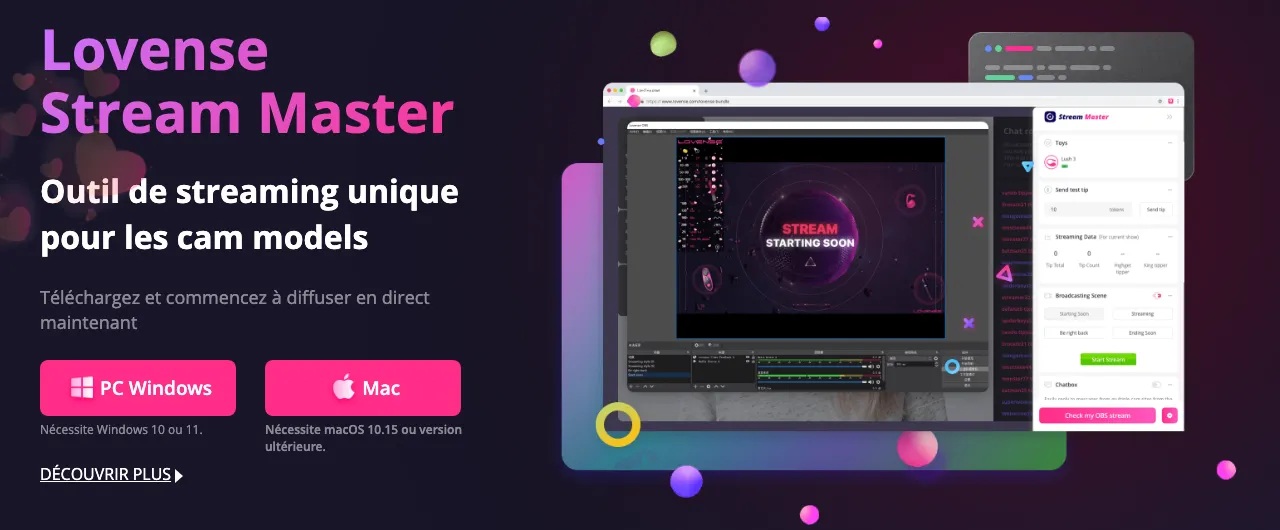
- Lovense Stream Master, the one it recommends for beginners: free software for Windows 10 or 11 and macOS 10.15 or newer, which brings together the toy connection, the tip reactions and the broadcast;
- the Lovense Cam Extension, to add to Chrome or Edge. It isn’t in the Chrome extension store: Lovense’s site explains how to install it manually.
- Set it up and test it: choose your platform, create your levels, save, and run a trial before your first show.
Watch out for the name: for live shows you need Lovense Connect, not Lovense Remote, the brand’s other app, which its extension doesn’t work with.
On Stripchat, you can also broadcast from your phone’s browser: with Lovense Connect up to date, everything is set in Broadcast Center, then Set Up Broadcast, then Interactive Toys. Turn on “Allow Lovense to connect”, then “Set up Lovense toy”; once the show has started, a green “Connected” badge confirms the toy is linked.
What to check before your first show
Compatibility with your platform
Lovense announces integrations with most of the big cam sites, including Stripchat, Chaturbate, LiveJasmin, BongaCams, Cam4 and CamSoda. Check your platform’s help centre anyway: for the extension, Stripchat for instance requires an up-to-date browser (it cites Chrome and Firefox), with no ad blocker and no proxy. To choose your site, read Which camgirl site should you pick to get started?
The battery
Battery life depends on the model and the intensity. For its Lush 4, Lovense states 122 to 350 minutes depending on intensity, and around 50 minutes to recharge. A 3- to 4-hour session lasts 180 to 240 minutes: if the toy reacts often and strongly, it can stop before the end. Charge it fully before every live show.
The connection
- The phone running Lovense Connect and the computer doing the broadcasting must be on the same network, without going through the phone’s hotspot.
- No VPN: according to Stripchat, it causes repeated disconnections.
- Keep the app open (it can run in the background, screen off) and the phone close to the toy.
- If you use two devices during a show, enable toy sharing only on the one it’s linked to.
Discretion
Lovense says it ships its parcels in a standard brown cardboard box, with no mention of the brand, with a second discreet box inside. According to its FAQ, the payment also appears under a neutral label, something like “RP Product”. Create your Lovense account with your stage name and the email address you keep for your live work. The other habits worth having are in Camgirls and Privacy.
Setting your levels alongside your tip menu
Your levels work like a second tip menu: the logic is the same as for your prices, set out in Camgirl Rates.
- No gaps between levels: cover the whole scale, up to a final level left open at the top, otherwise some tips won’t trigger anything.
- A small entry level: a tip of a few tokens should have an effect — it’s often a viewer’s first move.
- More tokens, more time: let the length rise with the amount, the way you divide up time in your menu.
- An intensity you can keep up: the toy reacts on its own, so set the top of the scale at a level that suits you for a whole session.
An example, to adapt:
- up to 9 tokens: 3 seconds, low intensity;
- from 10 to 49 tokens: 10 seconds, medium intensity;
- from 50 to 199 tokens: 30 seconds, high intensity;
- 200 tokens and up: 60 seconds, very high intensity.
To remind newcomers of your levels, Stripchat’s Announcement Bot sends the message of your choice into the chat at regular intervals.
The rule never to forget: Stripchat strictly prohibits passing off a fake interactive toy as a real one, and advertising a toy on your profile when it’s disconnected or not working, on pain of temporary suspension. If the connection drops mid-show, remove the mention and tell your room.
Finally, judge the effect in tokens per hour, not in viewer numbers: on Stripchat, it’s your hourly earnings that weigh most in your ranking. To see how that plays out over a month, try the camgirl earnings calculator.
In short
- A Lovense toy reacts to tips according to your levels: a token range, a length, an intensity.
- Three families of toys for live shows: the ones you wear during the show (Lush 4, Lush Mini, Vulse, Hush 2), the ones that stay on the outside (Ferri, Domi 2) and the machines, including the Mini Sex Machine, which Lovense recommends for beginners.
- You need Lovense Connect, then Lovense Stream Master or the Lovense Cam Extension; on a Windows PC, the Lovense USB adapter.
- Before your first show, check compatibility, the battery, the connection (same network, no VPN) and your discretion.
- Cover the whole tip scale, with a small entry level and a length that rises with the amount.
- Never advertise a toy that’s disconnected or broken: Stripchat can suspend your account.